

Google Workspace & Gemini for Workspace Usage and Adoption Block [BETA]
Overview
This is not an officially supported Google product.
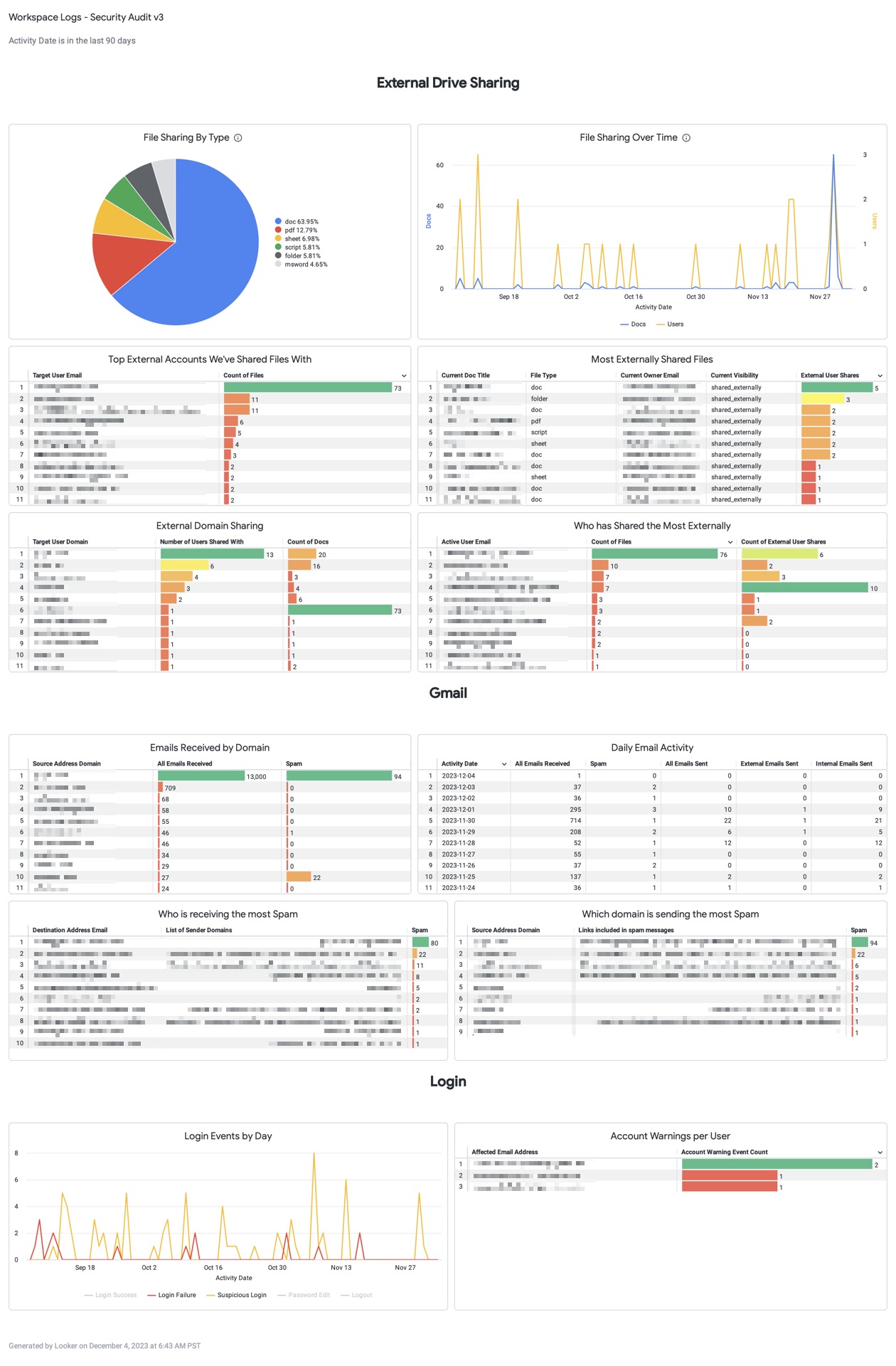
The Google Workspace Analytics Block provides a comprehensive window into your organization's digital productivity and security by transforming raw Google Workspace audit logs into actionable Looker insights. It is the primary solution for analyzing adoption trends, cross-departmental collaboration, and external security risks across Gmail, Drive, Meet, and more.
The block leverages the activity and usage datasets exported from your Google Workspace Admin Console to Google BigQuery, eliminating the need for complex data engineering.
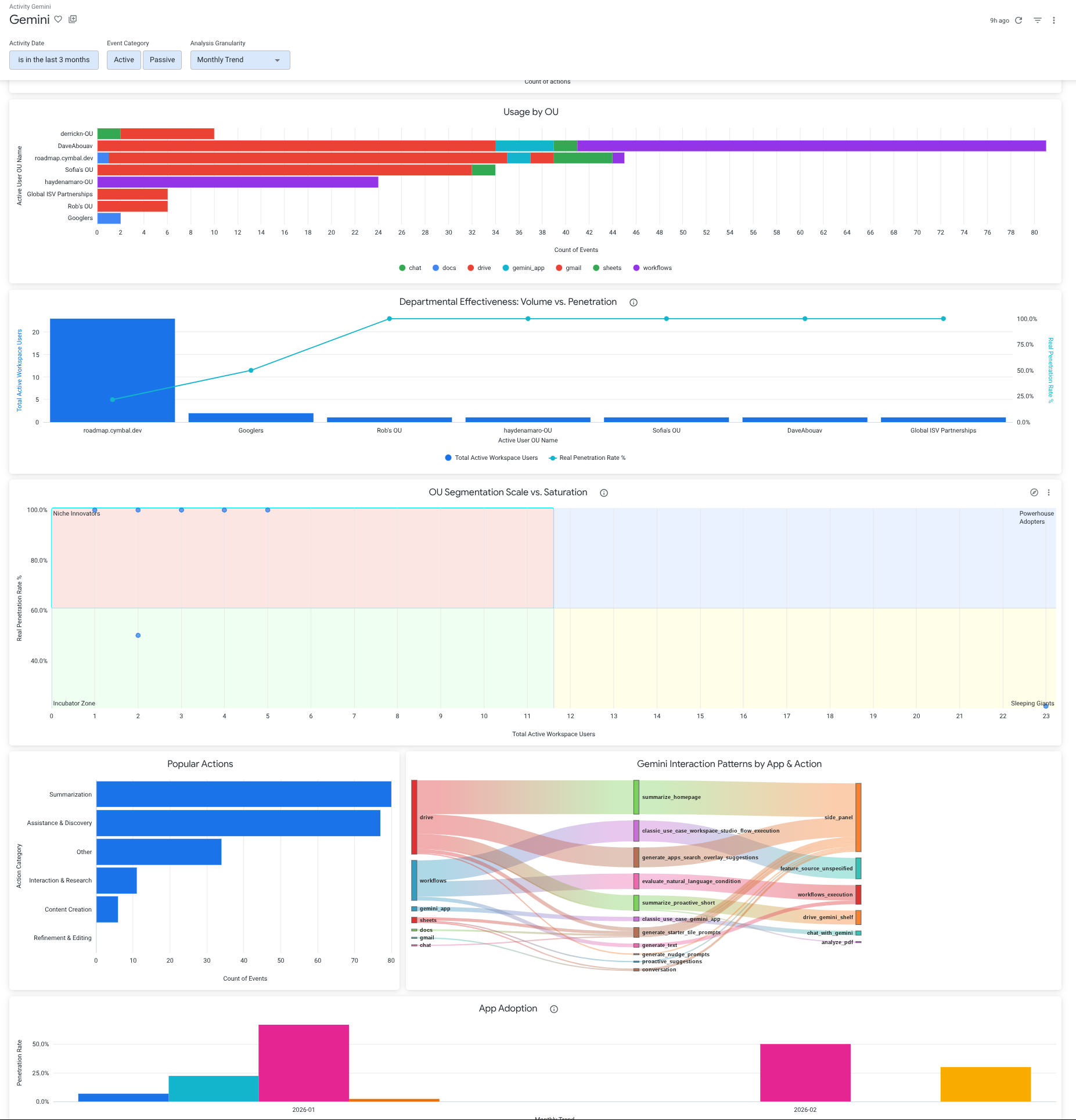
🚀 NEW: Gemini AI Adoption Module We are excited to launch the Gemini Adoption & App Penetration feature set (version v1.0.2)! This new module is specifically designed to help organizations track the rollout and impact of Generative AI across their workforce.
- Measure Penetration: Compare Gemini users against your total active Workspace baseline.
- Usage Insights: Analyze AI-driven actions like "Summarization" and "Content Creation."
- Growth Potential: Pinpoint "Opportunity Gaps" in apps like Docs, Sheets, and Slides.
Core Capabilities
Enable Service Log Exports: This block requires service log exports to BigQuery (https://support.google.com/a/answer/9079365) to populate the necessary activity and usage tables.
Universal Workspace Adoption: Monitor 1, 7, and 30-day active user trends across the entire suite, including Gmail, Drive, Meet, and Calendar.
Advanced Security Auditing: Focus on the "External" view of your organization—identifying data exfiltration risks, suspicious login patterns, and spam trends.
Organizational Unit (OU) Analysis: Map analytics to your company's actual hierarchy using Looker User Attributes to filter data by department or region.
Collaboration Mapping: Visualize how your teams work together and with external partners through Drive sharing and Meet participation insights.
Visualize with Dashboards: Deploy a suite of pre-built dashboards, including Adoption & Collaboration, Security Audit, and the new Gemini Adoption center.
For guidance on setting up the required BigQuery export, refer to: Export Google Workspace data to BigQuery (https://support.google.com/a/answer/9079365).